
Introduction
When it comes to choosing software, many beginners and intermediate users face a common dilemma: should they go for free software, or invest in paid software? This question is more relevant than ever as technology evolves and businesses, students, and freelancers rely heavily on digital tools. Both free and paid software have their own advantages and disadvantages, and understanding these differences can save time, money, and frustration.
Free software is appealing because it doesn’t cost anything upfront, making it accessible to everyone. Many startups, students, and hobbyists rely on free software for tasks ranging from graphic design to project management. On the other hand, paid software often promises better support, advanced features, and reliability. For professionals who rely on efficiency and security, paid software can sometimes be a worthwhile investment.
What is Free vs Paid Software?
Free vs paid software refers to two broad categories of digital tools and applications based on cost and access.
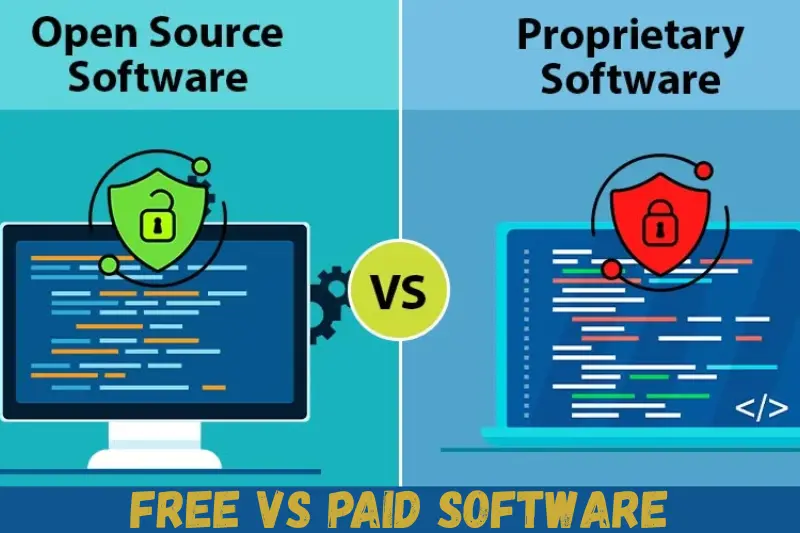
Free Software: This type of software is available to users at no cost. Free software can include open-source applications, freemium tools, or completely free versions provided by companies to attract users. Examples include LibreOffice, GIMP, and Audacity. Free software is often community-supported, with updates and fixes managed by volunteers or enthusiasts.
Paid Software: Paid software, as the name suggests, requires users to purchase a license or subscription to access its full features. Examples include Adobe Photoshop, Microsoft Office, and AutoCAD. Paid software often offers better customer support, regular updates, and advanced functionality that free alternatives may lack.
Key Differences at a Glance:
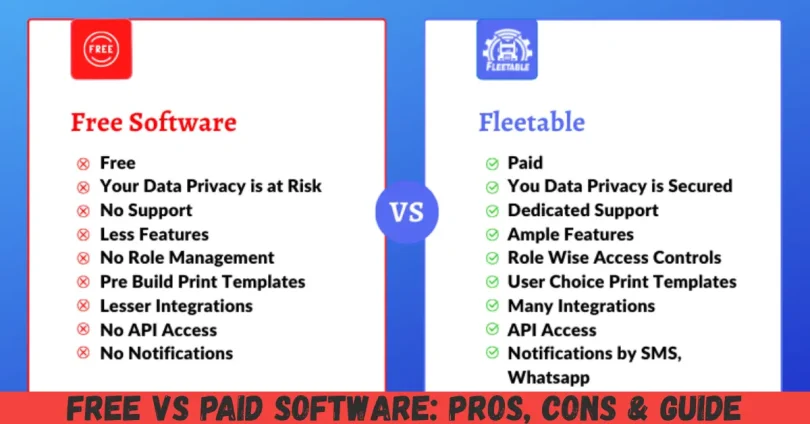
- Cost: Free software is free; paid software requires a one-time payment or subscription.
- Support: Free software may rely on forums; paid software usually has dedicated support teams.
- Features: Paid software often includes advanced features; free versions may be limited.
- Security: Paid software generally has more robust security; free software can sometimes pose risks.
Understanding these basics is essential before deciding which option fits your needs.
Why is Free vs Paid Software Important?
Choosing between free vs paid software is important for several reasons:
- Budget Management: For individuals and small businesses, software costs can add up quickly. Knowing the differences allows you to make a cost-effective decision without compromising quality.
- Productivity: The right software enhances productivity. Choosing the wrong tool may slow down work or limit capabilities.
- Security: Free software may have vulnerabilities that could compromise your data. Paid software usually has better security protocols and regular updates.
- Scalability: If you plan to expand your work, paid software often offers better scalability and advanced features. Free software may suffice for small projects but may lack long-term potential.
- Support and Updates: Paid software usually comes with customer support, tutorials, and regular updates. Free software may have inconsistent updates and limited guidance.
Understanding the importance of free vs paid software helps you make informed decisions that align with your needs, goals, and budget.
Detailed Step-by-Step Guide
Choosing between free vs paid software can be broken down into practical steps.
Step 1: Identify Your Needs
Before choosing any software, list down your specific requirements:
- What tasks do you need the software for?
- How often will you use it?
- Do you need advanced features or basic functionality?
- Is security a top priority?
For example, a casual blogger might find free software sufficient, while a professional designer may require paid software for advanced editing features.
Step 2: Research Available Options
- Search for free software alternatives that match your needs.
- Look for paid software trials to test features before purchase.
- Check online reviews, forums, and communities to understand real user experiences.
Step 3: Compare Features
Make a side-by-side comparison of free vs paid software options. Consider:
- Functionality: Does the free version meet all your requirements?
- Support: Does the software offer help, tutorials, or troubleshooting guides?
- Updates: How frequently is the software updated for new features and security fixes?
Step 4: Evaluate Costs and Value
- Free software has zero upfront costs, but consider indirect costs like time spent troubleshooting or missing features.
- Paid software may seem expensive, but it often offers long-term value through enhanced features, efficiency, and support.
Step 5: Test Before Committing
- Many paid software providers offer free trials. Test these trials to see if the software meets your expectations.
- Use free software for a few weeks to evaluate functionality and limitations.
Step 6: Make Your Decision
- Choose free software if it fully meets your requirements and security concerns.
- Opt for paid software if you need advanced features, professional support, and long-term reliability.
Benefits of Free vs Paid Software
Benefits of Free Software
- No Cost: Ideal for beginners, students, and small businesses.
- Community Support: Many free tools have active forums and online communities.
- Flexibility: Open-source free software allows users to modify code.
- Accessibility: Anyone can download and use it without financial barriers.
Benefits of Paid Software
- Advanced Features: Paid software usually includes all the tools you need without limitations.
- Regular Updates: Developers provide consistent updates for security and functionality.
- Professional Support: Access to technical assistance and tutorials.
- Reliability and Security: Paid software is often more stable and secure, making it suitable for professional use.
- Time Efficiency: Paid software often saves time by providing streamlined processes and fewer bugs.
Disadvantages / Risks
Risks of Free Software
- Limited Features: Free versions may lack advanced functionality.
- Security Vulnerabilities: Less frequent updates can expose users to security risks.
- No Dedicated Support: Relying on forums can delay solutions to problems.
- Ads or Restrictions: Some free software comes with ads or usage limitations.
Risks of Paid Software
- Costly: Subscription or one-time fees can be expensive.
- Overkill for Beginners: Paid software may have unnecessary features for casual users.
- Learning Curve: Advanced features may require training or time to learn.
- License Limitations: Some paid software restricts usage to a certain number of devices or users.
Common Mistakes to Avoid
- Choosing Based on Price Alone: Free doesn’t always mean better; paid doesn’t always mean necessary.
- Ignoring Compatibility: Ensure the software works with your operating system and other tools.
- Overlooking Security: Free software may carry hidden security risks. Always verify the source.
- Neglecting Updates: Using outdated software, free or paid, can lead to issues.
- Not Testing the Software: Always try free versions or trials before committing to a paid option.
- Ignoring User Feedback: Reviews and forums provide valuable insights from real users.
FAQs
1. Can free software be as good as paid software?
Yes, in some cases free software can meet all your needs. For example, GIMP is a powerful free alternative to Photoshop. However, paid software usually offers advanced features and professional support that free tools may lack.
2. Is paid software worth the investment?
If you rely on software for professional or high-volume tasks, paid software is often worth the cost due to better features, security, and support. For occasional use, free software may suffice.
3. What are freemium software options?
Freemium software provides basic features for free and charges for advanced functionalities. This model allows users to try the software and upgrade if needed. Examples include Canva, Zoom, and Trello.
4. Are free software updates reliable?
It depends. Open-source free software often relies on community contributions, which can vary. Paid software usually offers scheduled updates with guaranteed improvements.
5. Can free software pose security risks?
Yes. Some free software may contain malware, ads, or unpatched vulnerabilities. Always download from reputable sources and keep software updated.
6. How do I choose between free vs paid software?
Evaluate your needs, compare features, consider costs, and test software before committing. Align your choice with your workflow, security, and budget.
7. Can I switch from free to paid software later?
Absolutely. Many users start with free software and upgrade to paid versions when their needs grow. Always check if the software allows easy migration.
8. Do paid software subscriptions include support?
Yes, most paid software offers technical support via chat, email, or phone. Some also provide tutorials, webinars, and community forums.
Expert Tips & Bonus Points
- Prioritize Security: Always choose software from reputable sources. Paid software often guarantees better protection.
- Check Compatibility: Ensure software works with your device, operating system, and other tools you use.
- Use Trials: Take advantage of free trials for paid software to evaluate usability and features.
- Balance Cost and Value: Don’t overspend on features you don’t need; free software may sometimes be sufficient.
- Leverage Community Resources: Forums, tutorials, and YouTube guides can enhance both free and paid software experiences.
- Consider Future Needs: Plan for growth. Paid software may scale better with your requirements.
- Regular Updates: Keep software updated to avoid bugs and security vulnerabilities.
Bonus Tip: For beginners, start with free software to learn the basics. As your skills grow or tasks become more professional, consider investing in paid solutions. This approach saves money and provides practical experience before spending.
Conclusion
Choosing between free vs paid software is a critical decision that depends on your goals, budget, and technical needs. Free software is ideal for beginners, casual users, and those who need cost-effective solutions. It provides accessibility and flexibility, though it may have limitations in features, support, and security.
Paid software, on the other hand, is tailored for professionals and businesses that require reliability, advanced features, regular updates, and dedicated support. While it comes at a cost, the long-term benefits often outweigh the initial investment, especially for high-volume or professional tasks.